A tour of the dashboard
What each page in the SolMarrow sidebar does: Home, Calendar, Approvals, Inbox, Comments, Analytics, Accounts, RSS feeds and X credits.
The sidebar on the left holds everything. Here is what each page is for.
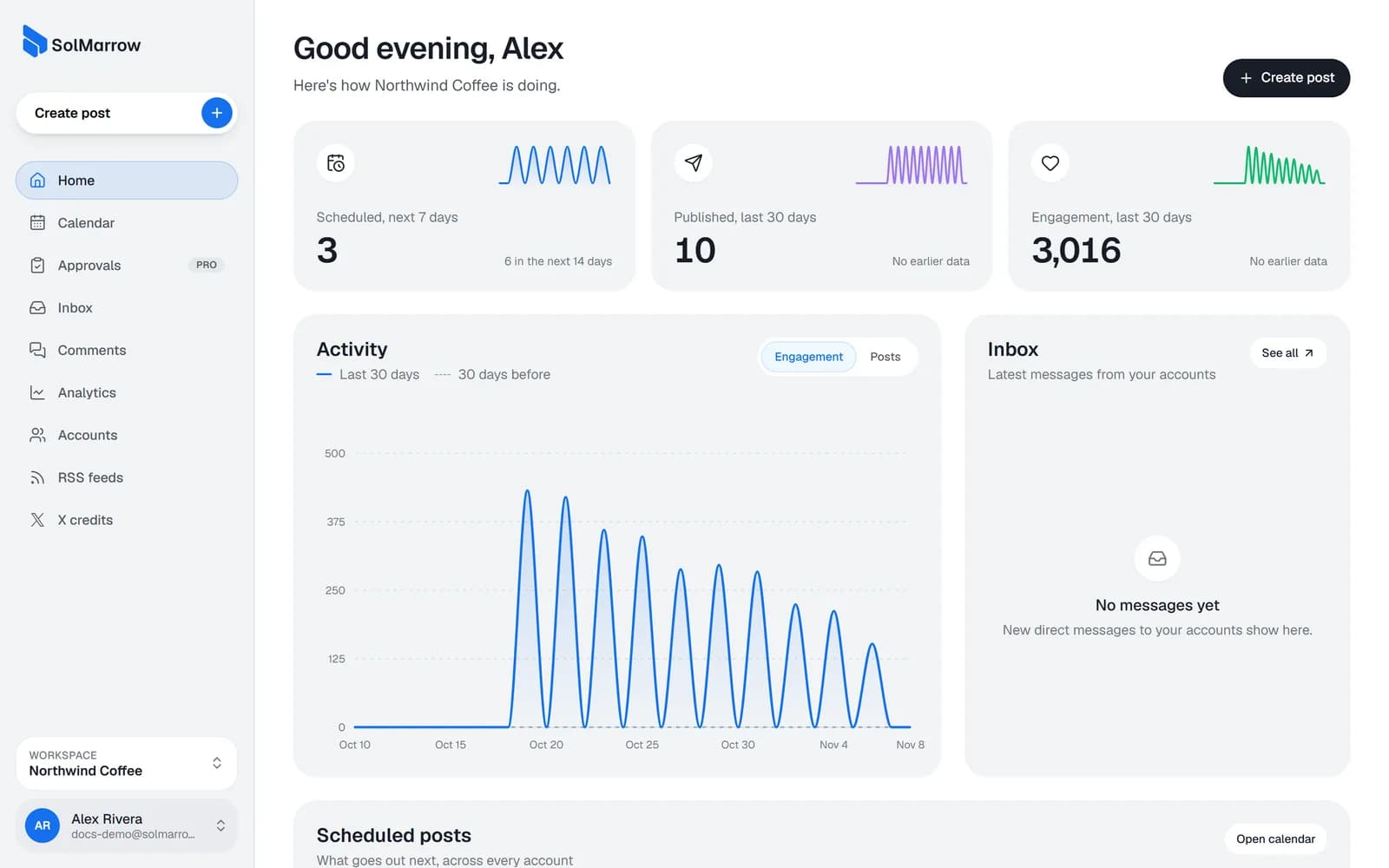
| Page | What it does |
|---|---|
| Create post | Opens the composer to write, schedule or publish a post. |
| Home | Your workspace at a glance: posts scheduled in the next 7 days, posts published and engagement in the last 30 days, what goes out next and the latest messages. |
| Calendar | Every scheduled and published post in month, week or day view, plus your drafts. Also Share for review and Bulk upload. |
| Approvals (Pro) | A board where posts wait until the owner or an admin approves them. |
| Inbox | Direct messages to your connected accounts, with replies. |
| Comments | Comments and replies on posts you published with SolMarrow. |
| Analytics | Likes, comments, shares and views per network and per account. |
| Accounts | Connect and disconnect social accounts. |
| RSS feeds | Share each new article from a blog, news site or YouTube channel automatically. |
| X credits | Your credit balance and how posts to X are paid for. |
At the bottom of the sidebar:
- Workspace switcher: change workspace or create a new one (Pro).
- Account menu: your storage meter, light or dark theme, Settings and Log out.
Settings
| Tab | What it holds |
|---|---|
| General | Your profile, email and password, workspace name and time zone, theme, data export and account deletion. |
| Billing | Your plan, storage, Pro upgrade or cancel, invoices. |
| Team (Pro) | Invite people and set their roles. |
| Apps and AI agents | AI agents and apps connected to your account, Notion, and your own API apps. |
| Help & support | Contact support and find answers. |
Still need help? Email support@solmarrow.com. A person reads every message and answers within 1 business day.