Use the calendar
See every scheduled and published post in month, week or day view, filter by status and network, and copy or move posts.
The Calendar shows every scheduled and published post across your accounts.
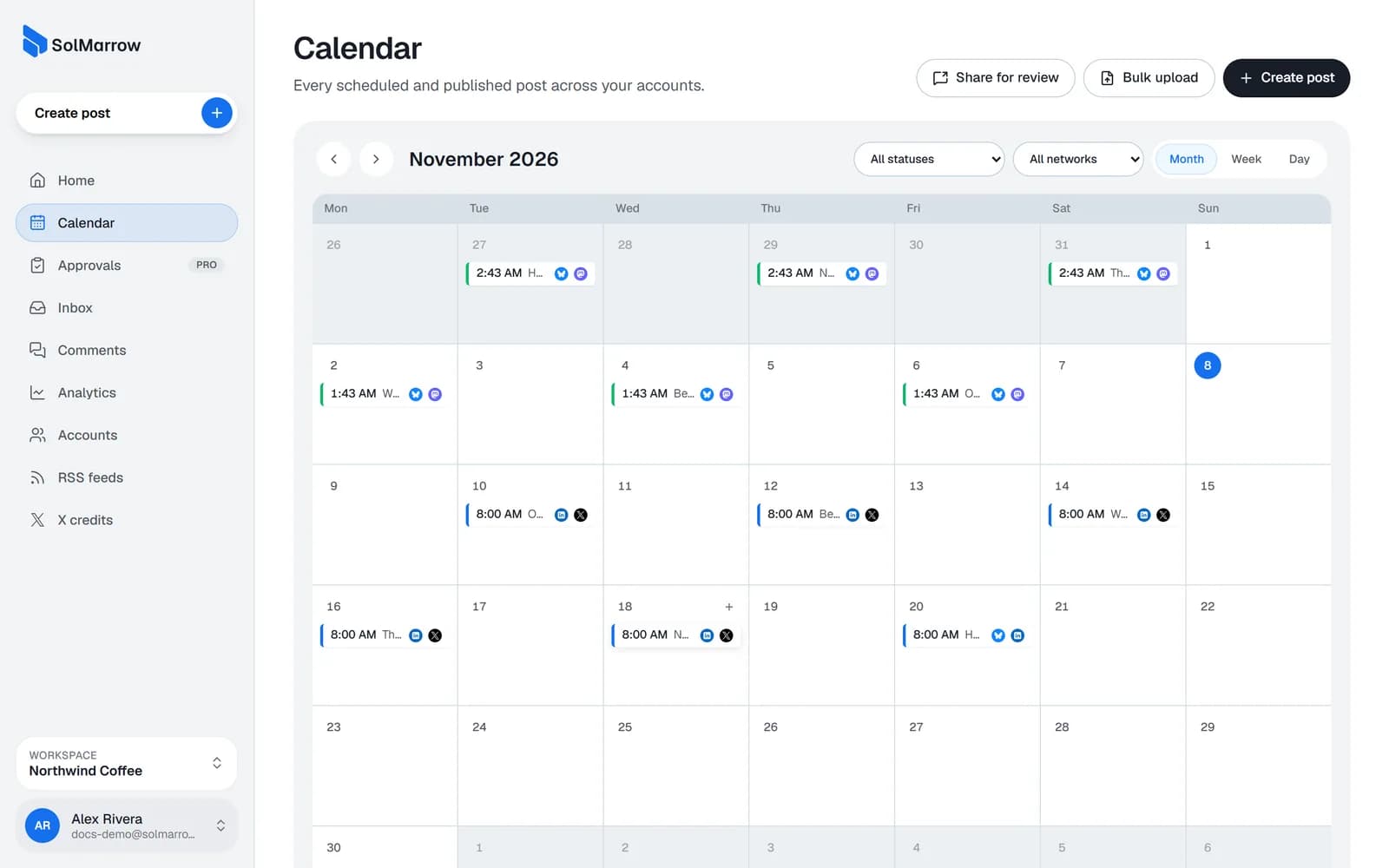
Views and filters
- Month, Week and Day views: switch with the buttons at the top.
- Filter by status: all statuses, scheduled, published, partly published or failed.
- Filter by network: show only one network's posts.
Things you can do
- Create a post on a day or time: click the empty space; the composer opens with that time.
- Open a post: click it to see its accounts, status and links, or to edit it.
- Copy a post: make a copy as a new draft, for example to post the same content again later.
- Delete a post: drafts, scheduled and failed posts can be deleted. Published posts stay on the networks.
- Share for review: send posts to a client for approval. See Client review links.
- Bulk upload: schedule many posts from a CSV file. See CSV bulk upload.
Best practices
- Plan a week at a time. Fill the week view on Monday so nothing is rushed.
- Look for gaps and clusters. The month view makes it easy to spot empty days or too many posts on one day.
- Use the failed filter. Check it now and then so nothing is missed.
Still need help? Email support@solmarrow.com. A person reads every message and answers within 1 business day.