How connecting social accounts works
SolMarrow connects through each network's official sign-in or API. It never sees your passwords. Steps, rules and a guide per network.
SolMarrow posts through each network's official API. You approve SolMarrow on the network's own page, so SolMarrow never sees your password.
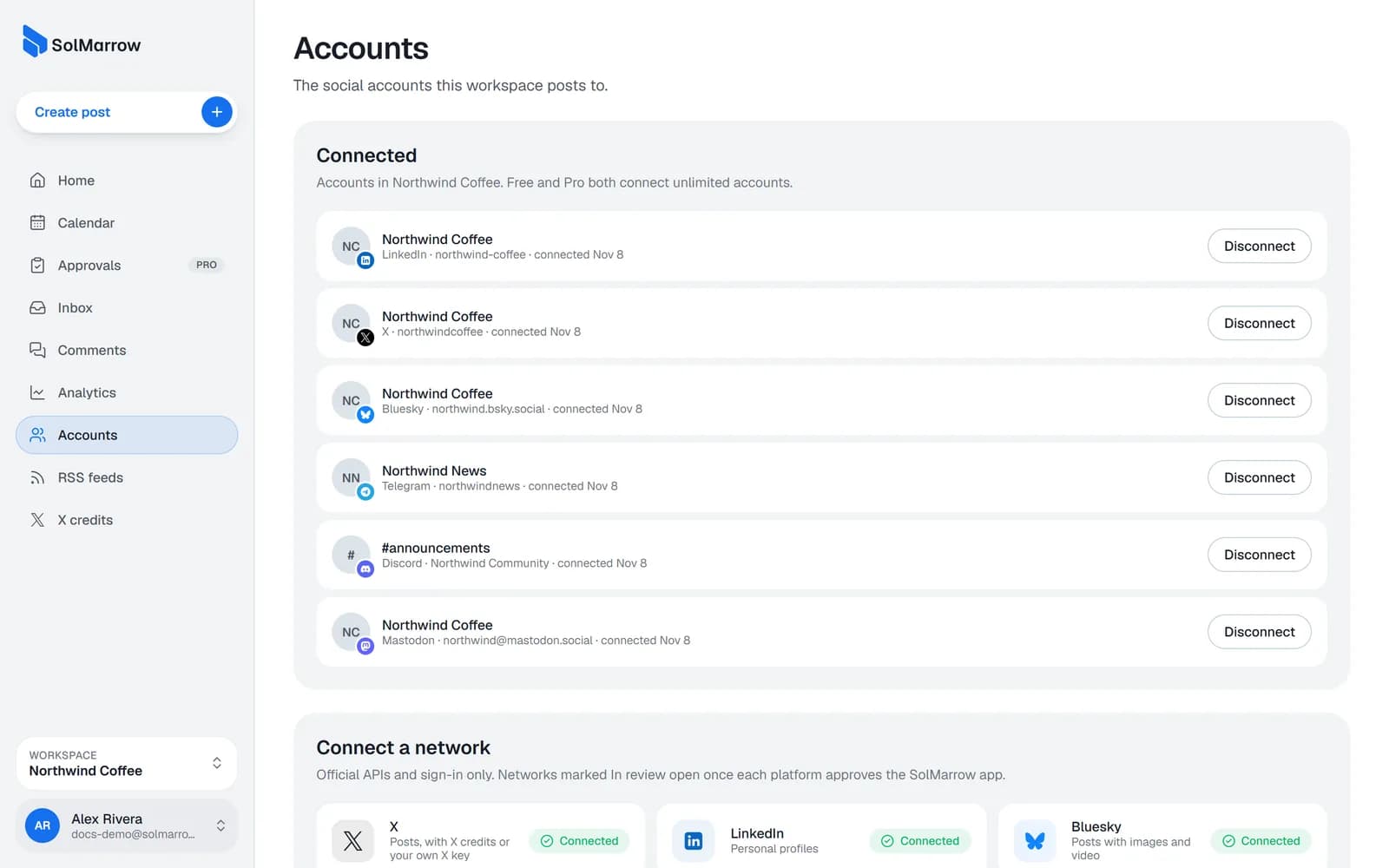
Connect an account
- Open Accounts in the sidebar.
- Choose the network.
- Follow the steps for that network:
- Most networks (X, LinkedIn, YouTube, Pinterest, Tumblr, Slack, Dribbble, Facebook, Instagram, Threads, TikTok): their sign-in page opens. Sign in there and click Allow.
- Bluesky: type your handle; Bluesky's own sign-in opens with it filled in.
- Mastodon: type your server address (for example mastodon.social), then sign in on your server.
- Telegram: add the SolMarrow bot as an admin of your channel, then post a one-time code.
- Discord: sign in with Discord and choose the server and channel on Discord's own screen.
- WordPress, Ghost and DEV: paste an application password or API key from your site.
- You come back to SolMarrow and the account shows as connected.
Tip: Connect in the same browser where you are already signed in to the network. Then you usually only confirm, without typing a password again.
Rules to know
- One account per network per workspace. For a second X or LinkedIn account, use another workspace (Pro has unlimited workspaces).
- Free and Pro both connect unlimited accounts, as long as each is on a different network in the same workspace.
- Some networks show In review: they open for everyone once that platform approves the SolMarrow app.
Disconnect an account
- Open Accounts.
- Choose the account and select Disconnect.
SolMarrow deletes that account's access token right away and removes its scheduled posts from the queue. Posts already published stay on the network.
Guides for each network
- XAvailable
- LinkedInAvailable
- BlueskyAvailable
- TelegramAvailable
- DiscordAvailable
- FacebookIn review
- InstagramIn review
- ThreadsIn review
- TikTokIn review
- YouTubeAvailable
- PinterestAvailable
- LinkedIn PagesIn review
- SlackAvailable
- DribbbleAvailable
- MastodonAvailable
- TumblrAvailable
- WordPressAvailable
- DEVAvailable
- GhostAvailable
Still need help? Email support@solmarrow.com. A person reads every message and answers within 1 business day.