Buffer Alternatives for Agencies Managing More Social Channels
Compare seven Buffer alternatives for agencies, including SolMarrow, SocialPilot and Planable. See current pricing, client workflows and trade-offs.
Top lists10 min read
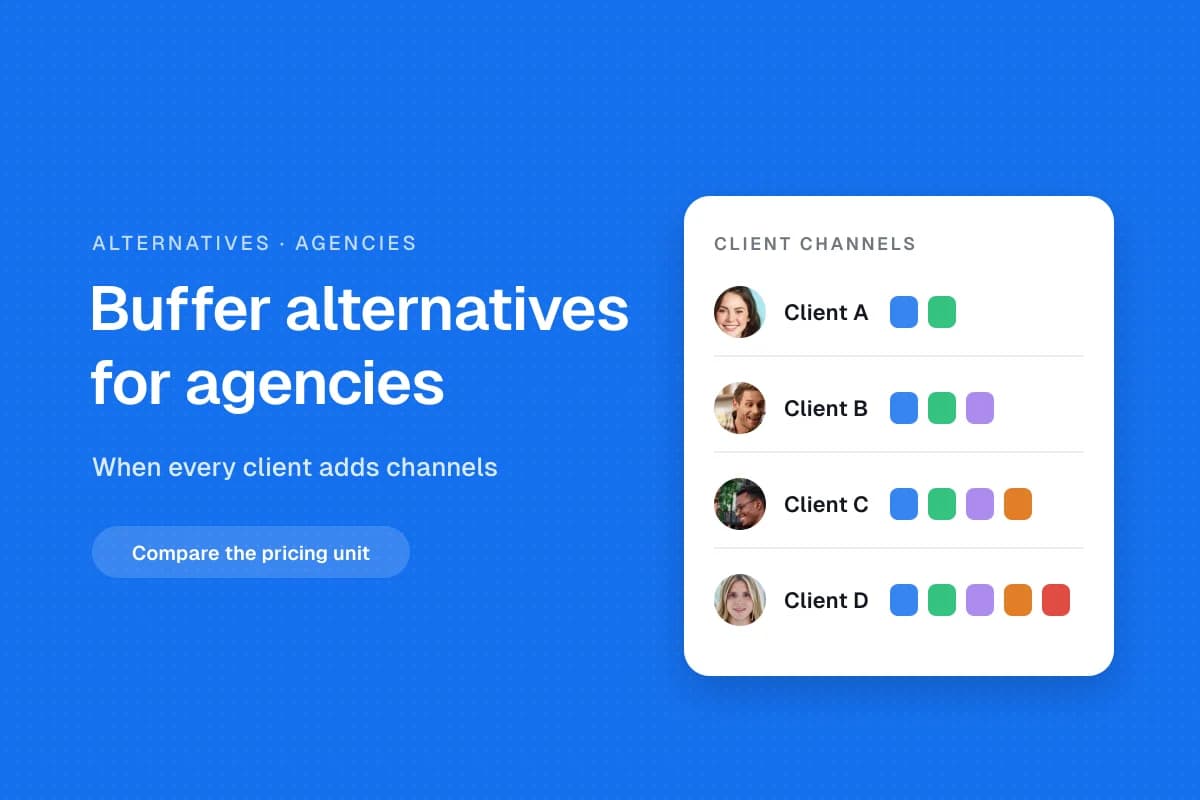
Managing social accounts for one brand is fairly simple. Managing five clients, each with several channels, changes the math. The best Buffer alternatives for agencies depend on what you actually need: cheaper account coverage, separate client workspaces, reliable approvals, stronger reports, or tools your team already uses.
Quick answer: SolMarrow is worth considering when account limits and cost are your main concerns. SocialPilot and Sendible suit agency operations, Planable is built around content approvals, Metricool favors analytics, Publer emphasizes flexible publishing, and Zoho Social appeals to teams using Zoho's business software. None is the right replacement for every agency.
SolMarrow vs Buffer free plans at a glance
| Key point | SolMarrow Free · $0 | Buffer Free · $0 |
|---|---|---|
| Connected accounts | Unlimited across different supported networks, one per network | Up to 3 channels in total |
| Scheduled posts | Unlimited under fair use | 10 queued posts per channel |
| Workspace | One free workspace for one brand | One user with three free channels |
| API and AI | MCP and REST API included | Official API and MCP included |
| Best fit | One brand on several different supported networks | Small queues on up to three channels |
The important limitation: SolMarrow Free supports one account per network in a single workspace, not several client accounts on the same network. Fair-use and network rules apply, and X requires credits or your own developer key. See SolMarrow Free pricing, SolMarrow limits, Buffer Free pricing, and Buffer's queue policy. Plan details checked November 23, 2026.
Seven Buffer alternatives for different agency needs
An agency buying a scheduler should look beyond a headline price. Some tools are better at approvals or reporting; others focus on publishing across multiple channels. Here's how the seven options actually fit those jobs.
1. SolMarrow for agencies watching their account costs
SolMarrow's main advantage is that the core scheduler stays free. It includes unlimited social accounts across supported networks, unlimited scheduled posts under fair use, a calendar, queue, CSV upload, basic analytics and MCP access. There's no per-channel subscription price just to start scheduling. See the official Free plan and usage limits.
The distinction is in how you organize clients. Free includes one workspace and one account per network in that workspace. An agency could try it with one client's supported channels without adding another subscription. If it needs separate workspaces for several clients or more teammates involved in approvals, an optional paid upgrade exists, but you don't need it to use the core scheduler.
Its broader social inbox and CRM are still described as beta, and individual networks may have different connection or publishing requirements. API and MCP documentation can help teams exploring AI-assisted posting. X has separate access costs, and heavy use can trigger fair-use review. If advanced listening or sophisticated client reporting is essential, compare those capabilities before switching.
2. SocialPilot for teams managing client deliverables
SocialPilot is a more agency-oriented comparison when your work includes several clients, multiple editors, bulk scheduling and deliverables you need to show a customer. Its official plan comparison separates account allowances and user limits across Essentials, Standard, Premium and Ultimate. Its more advanced plans add agency-focused tools, including approvals and reporting.
That structure can be useful if a team wants defined capacity rather than a per-channel price for every account. It also means the cheapest plan may not include the client workflow you need. Make your decision using the tier with the necessary number of users and accounts, not just the lowest advertised starting price.
3. Sendible for keeping client workspaces distinct
Sendible's published pricing explanation emphasizes agency workspaces and social profiles. Each workspace gives a separate client or brand environment, with its own content calendar, queues, reports and inbox. Its current pricing page says workspaces include six social profiles and describes unlimited users on its plans.
That is a practical way to keep one client's content away from another's. Compare how many workspaces you need, how profiles are pooled, and whether the reporting or inbox features actually replace another tool in your business. A higher subscription may be worthwhile when it saves hours of account handoffs and reporting every week.
4. Planable when approval is the bottleneck
Scheduling is often the easy part. The expensive mistake is sending a client post before the final reviewer has approved it. Planable focuses on comments, calendar visibility and approval flows. Its official agency setup guide describes a workspace per client, with reviewers invited into the right environment.
Planable's free offer covers the first 50 created posts, rather than unlimited recurring monthly publishing. Its Basic plan uses per-workspace billing and currently lists four social pages and 60 posts per workspace each month. That can be a strong fit for clients with frequent feedback, but agencies with many brands should calculate the cost of every workspace before switching.
5. Metricool when reporting drives the relationship
Some clients care more about reach, engagement, campaigns and monthly results than the mechanics of uploading posts. Metricool gives that kind of team a reporting-centered platform with scheduling attached. Its official pricing and plan documentation organize capacity by brands; higher plans add options for team and client management.
The important question is not whether Metricool schedules posts. It does. The question is whether you will actually use the analytics and reporting enough to justify the paid tier. If you are paying for dashboards you never open, a simpler scheduler may make more sense. If reporting is a key deliverable, that extra depth can be a real advantage.
6. Publer for publishing lots of varied content
Publer is worth checking for an agency working from recurring content themes, RSS sources and a substantial posting queue. Publer's Professional tier adds publishing and workspace features; its price changes with connected accounts and team members. Check Publer's official plans for the currently configured total.
Publer can be attractive when publishing flexibility matters more than deep customer support features. Remember that X accounts are available only on paid Publer subscriptions. Before choosing it, test the actual media formats, per-network customization and queue behavior for your busiest client.
7. Zoho Social for agencies already using Zoho
If your team uses Zoho CRM or other Zoho business products, the natural advantage of Zoho Social is the ecosystem. Its current pricing page includes a free option for one brand with a defined set of channels and paid tiers with broader tools and agency packages.
Zoho Social is not automatically the cheapest option for someone with dozens of clients. It is more compelling when the connection between sales, customer records, social publishing and reporting reduces duplicated work. Check which integrations and brand limits are available in your intended subscription.
At a glance: how the seven options compare
| Tool | Free account limit | Free scheduled post limit | Key trade-off | Official source |
|---|---|---|---|---|
| SolMarrow | Unlimited supported accounts, one per network | Unlimited under fair use | One free workspace | SolMarrow pricing |
| SocialPilot | No permanent free plan | Free trial | Agency account packages on paid plans | SocialPilot plans |
| Sendible | No permanent free plan | Free trial | Client workspaces for agency reporting | Sendible pricing |
| Planable | Limited starter access | First 50 created posts free total | Basic adds 4 pages and 60 monthly posts per workspace | Planable pricing |
| Metricool | 1 brand | 20 posts per month | Reporting depth and brand limits | Metricool free limits |
| Publer | 3 accounts | 10 queued per account | Bulk publishing, RSS and X requires paid plan | Publer plans |
| Zoho Social | 1 brand | Verify current free scheduling rules | CRM integration and agency plans | Zoho pricing |
The table is a recap of the seven detailed reviews above, not a numerical rating. Accounts, brands, posts and workspaces are different units, and not all tools support the same post formats. Official plans were checked November 23, 2026.
When Buffer's free queue is no longer enough
Buffer charges per channel for Essentials and Team subscriptions. The standard rate applies to the first ten channels, with volume discounts as more are connected. That can work well if your agency regularly adds or removes accounts. Use Buffer's official pricing calculator to check what your exact channel mix costs.
SolMarrow Free has no per-channel subscription charge for different supported networks, but client separation is restricted to one workspace. A paid upgrade may help if you need multiple client workspaces or team approvals. Neither plan is an automatic winner when analytics, permissions and network formats matter. Plan terms checked November 23, 2026.
How to choose without making another expensive switch
Start with a brief inventory, not another free trial.
- Count actual accounts. Write down the network, account type and client for every connection. A LinkedIn company page and a personal LinkedIn profile may not have the same publishing permissions.
- Mark the must-have steps. Decide who drafts, who approves, who publishes and who handles failed posts. Separate basic scheduling requirements from advanced reports, listening or inbox support.
- Price the right plan. Do not compare a one-user entry tier with an agency plan that includes approvals and multiple staff members.
- Check platform coverage by post type. Images, carousels, Shorts, Stories and text threads can have different publishing rules. A platform logo on a pricing page is not a promise of every media format.
- Pilot one client first. Recreate a normal week's calendar, test a draft and an approval, check a published URL, and confirm any failed-post notification. Only then consider moving the rest.
If you're still deciding which agency features matter most, see how to choose a social media scheduler for your agency. For setup details, managing multiple client accounts and bulk scheduling with CSV cover the day-to-day work. The SolMarrow comparison hub also compares the principal tools in one place.
Questions agency owners ask about Buffer alternatives
Is there a free Buffer alternative for agencies?
Yes, but "free" does not mean identical capabilities. SolMarrow includes one free workspace with unlimited accounts and scheduled posts under fair use, but only one account per supported network in that workspace. Buffer has a free tier for three channels with 10 queued posts per channel. If your agency needs several profiles on the same network, review workspace options before switching.
Which Buffer alternative is better for client approvals?
Planable centers its workflow on review and approval. Buffer Team includes content approval tools too. SolMarrow lists team approvals as an upgrade feature rather than part of the free workspace. Compare the exact approval steps each client needs rather than assuming every tool has identical review controls.
Can I use an AI agent to schedule posts instead of Buffer?
Yes. SolMarrow offers MCP and API access, but Buffer also has an official MCP server. AI can help prepare or schedule posts when you grant appropriate access. The service still needs connected accounts, content checks and permission to publish.
Does unlimited scheduling mean unlimited publishing without restrictions?
No. Platform API quotas, anti-spam rules and each product's fair-use policy still apply. Buffer states that its paid unlimited queue is subject to a 5,000-post fair-use cap per channel. SolMarrow says posts are unlimited under normal use, but high-volume accounts may be reviewed and API/AI limits apply.
Is there a free option for ten social accounts?
It depends on which networks and clients those accounts belong to. SolMarrow Free allows unlimited accounts across supported networks, but only one account per network in its single free workspace. It may not fit an agency managing several Instagram or LinkedIn profiles for different clients. Buffer Free allows three channels, so ten channels exceed its free limit. Check actual network support and workspace needs before comparing costs.
So which one should your agency choose?
Stick with Buffer if you like its publishing interface, comment tools, integrations and flexible per-channel billing, especially when your client list changes often. Consider Planable or Sendible if client reviews and delivery are central to the work. Metricool has more to offer when reporting matters, SocialPilot suits teams that prefer packaged agency capacity, Publer emphasizes flexible publishing, and Zoho Social makes sense for existing Zoho users.
If the main frustration is paying for every extra social channel, start with SolMarrow's free scheduler. It's a useful way to test the everyday publishing workflow without committing to a subscription. Be sure its one-workspace rule, supported networks and approval needs fit your agency before moving clients.